How to Handle Contact Form Spam After a Product Hunt Launch
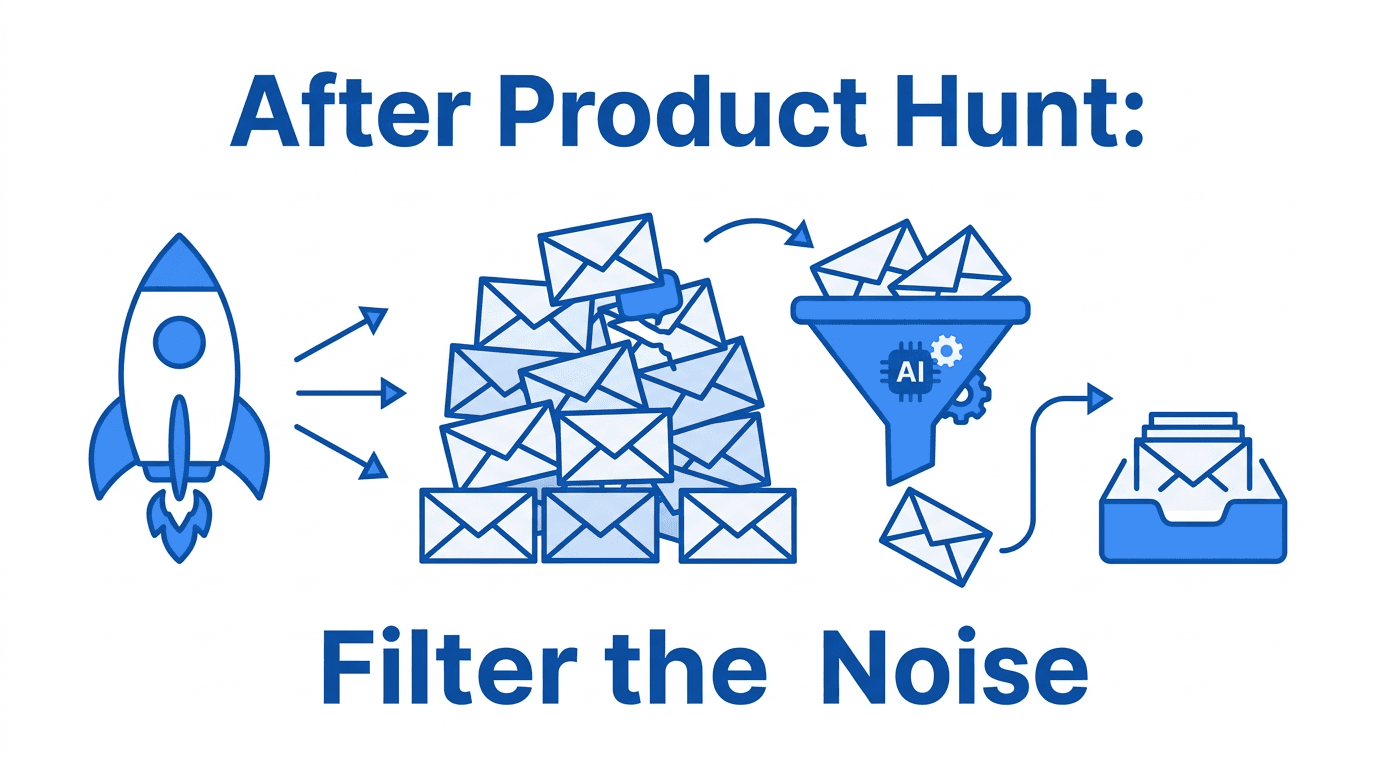
You spend weeks preparing your Product Hunt launch. The post goes live, you hit the front page, and your inbox immediately fills up — but not with the excited early adopters you imagined. It's SEO agencies, freelancers, "I can improve your landing page" cold outreach, and form bots that scraped your URL seconds after it appeared in the PH feed. The contact form spike after a launch is real, and without a filter in place, it buries the actual user signals you need most.
What changes the day your launch goes live
A Product Hunt listing is a public, indexed URL that signals "this team is active and listening." Within hours, your site appears in:
- PH scraper tools used by sales automation platforms to build outreach lists
- SEO crawler pipelines that harvest contact forms from newly active domains
- Agency prospect lists that target founders at the exact moment they have attention and budget
At the same time, genuine users arrive — curious early adopters, potential customers, journalists covering the category, and friends-of-friends who saw you on the feed. Both groups use your contact form. The challenge is that the noise arrives faster and in higher volume than the signal.
Why blocking at the form level breaks down under launch volume
The typical response to form noise is to add a CAPTCHA or tighten form validation. Both approaches have real costs during a launch:
- CAPTCHA adds friction for real users. On launch day, you want the barrier to reaching you to be as low as possible. A CAPTCHA challenge discourages the borderline user who almost reached out.
- IP-based blocking is useless. Outreach tools use distributed IPs. Blocking one doesn't stop the next.
- Keyword filters require maintenance. Sales pitches are written to sound like genuine questions. Keyword-blocking "SEO" also blocks real product feedback that mentions SEO.
- You can't predict the volume. If your launch outperforms expectations, a manual filtering approach doesn't scale with you.
The fundamental issue is that form-level filters evaluate structure, not intent. They can't tell "I love this product, can I ask a question?" from "I noticed your site's SEO could be improved — want a free audit?" For a full breakdown of why CAPTCHAs and keyword filters miss post-launch noise, see Why CAPTCHAs Don't Stop Contact Form Spam.
Email-layer filtering as a launch-week playbook
The better approach is to intercept form notifications at the email layer — before they hit your inbox — and let an AI evaluate intent. Here's the launch-week setup:
Before launch (set up once):
- Sign up for formpuppy and create a project.
- Get your forwarding address (e.g.
yourproduct@formpuppy.com). - Change your form's notification email from your personal address to the forwarding address.
- Set your real inbox as the forwarding destination in the dashboard.
That's the full setup. When your PH post goes live, all form submissions go through the AI first. Only genuine inquiries land in your inbox. For a full explanation of how email-layer filtering works, see How to Stop Contact Form Spam as an Indie Hacker.
During launch:
- Check your dashboard quarantine once or twice a day. The AI catches most noise, but you might want to scan for false positives on a high-stakes day.
- Mark any misclassified messages to tune the filter for your specific product's language.
After the launch spike:
- Incoming form volume will normalize within a few days. Your filter continues working indefinitely — you don't need to remove it.
The specific patterns to expect after a PH launch
Having the filter in place is especially valuable because post-launch spam follows identifiable patterns:
- "Congratulations on your launch!" messages that pivot to a service pitch in the second sentence.
- "We can get you to #1 on Google" cold outreach triggered by your new domain activity.
- "We build apps / design systems / run paid ads" freelancer outreach clearly mass-sent to new PH listings.
- Synthetic "user feedback" that opens like a bug report but ends with a service offer.
These messages read as legitimate if you're skimming a full inbox. An AI classifier evaluates the full message body and intent, not just surface signals.
What you lose if you filter too aggressively
The concern with any filter is missing real user signals. This is legitimate — and here's how to protect against it:
- Never delete filtered messages. A good filter quarantines, not deletes. Everything is reviewable.
- Check the quarantine during launch week. Even if you normally trust the filter, manually reviewing quarantined messages for the first 48–72 hours catches any model quirks specific to your product's language.
- Mark false positives immediately. If a real user inquiry gets flagged, releasing and marking it as legitimate updates the model for future messages.
The goal is not zero noise — it's ensuring that no real signal is permanently lost while keeping your inbox manageable during the period when you most need to focus.
Checklist: contact form ready for launch day
Before you post on Product Hunt, confirm:
- [ ] Form's notification email points to a filter address (not directly to your inbox)
- [ ] Real inbox is set as the forwarding destination in the dashboard
- [ ] You've sent a test submission and confirmed it arrives filtered
- [ ] You know where the quarantine dashboard is so you can check it during launch week
- [ ] Team members (if any) who also respond to inquiries know the setup
Frequently Asked Questions
Should I set this up before or during the launch? Before, ideally at least a few hours before your post goes live. The outreach tools that scrape PH listings often fire within minutes of a post appearing. If you set up the filter after launch, you'll already have a backlog to sort through manually.
What if a potential investor reaches out through the form during launch week? This is exactly why quarantine review matters during high-stakes periods. An investor email might use language that superficially resembles outreach ("I'd love to connect"). Check the quarantine daily during launch week and release anything that looks important.
My contact form is embedded in my PH post description (as a link). Does that matter? No — the filter operates on the email the form sends after submission. It doesn't matter how the form was found or linked to.
Can I turn off the filter after the spike dies down? You can, but there's no strong reason to. Human cold outreach to your contact form doesn't disappear after launch week — it just decreases in volume. Keeping the filter active means you never have to make a manual decision about it again.
Is there a way to see which messages came in specifically during launch week? Most dashboards show a timestamp for each message, so you can filter or scroll to the launch date range. This can be useful for post-launch analysis — understanding the ratio of real users to outreach during your spike period.
Summary
A Product Hunt launch brings the best and worst of form traffic simultaneously: real early adopters alongside a wave of automated and human outreach triggered by your new visibility. Email-layer AI filtering is the cleanest way to handle this because it operates after submission, evaluates intent rather than structure, and scales automatically with traffic. Set it up before launch, check the quarantine during launch week, and you'll be able to focus on responding to users instead of triaging noise.
formpuppy takes about five minutes to set up before your next launch.